


Question:
How do I configure Out of Office in DocuWare?
Answer:
Out of Office in DocuWare can be configured in the web client. Please refer to the following guide on how to do so:
For Cloud and On-premise organizations:
1. Modify Out of Office settings in Web Client (for logged in user)
- Log into the Web Client
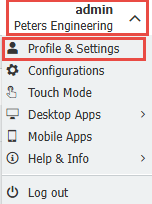
- Click on the Profile drop down
- Select Profile & Settings
- Scroll down to the "Out of office" Section
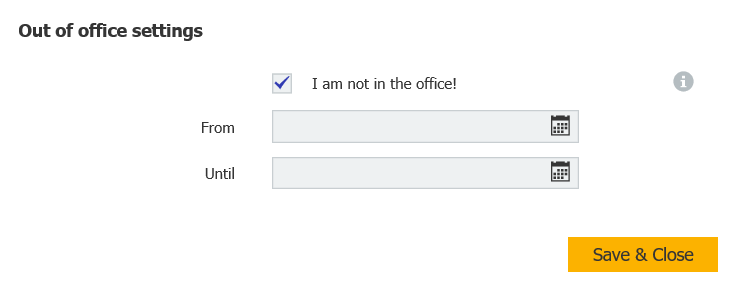
- Check I am not in the office!
- Choose your date range
- Click Save and Close
2. Modify Out of Office settings in Web Client for a specific user (for users with Manage Users privileges)
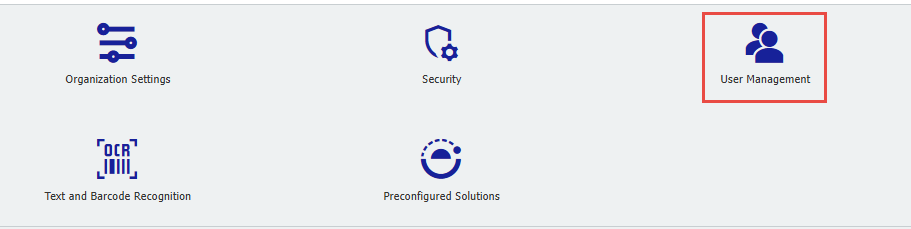
- Open the Configurations page and click User Management:
- Select the User in which you would like to schedule Out of Office
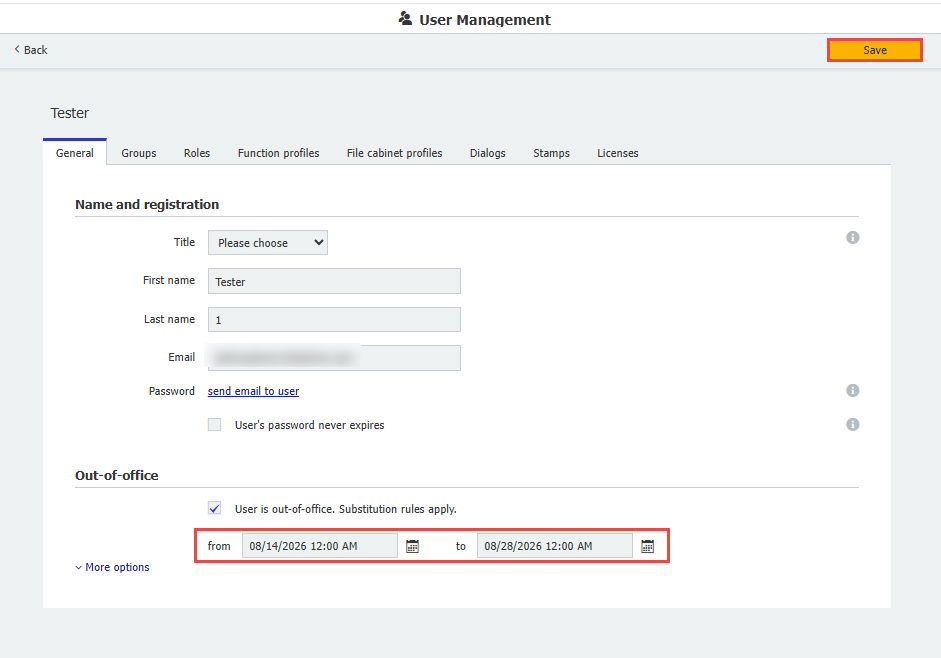
- Click User is out-of-office. Substitution rules apply.:
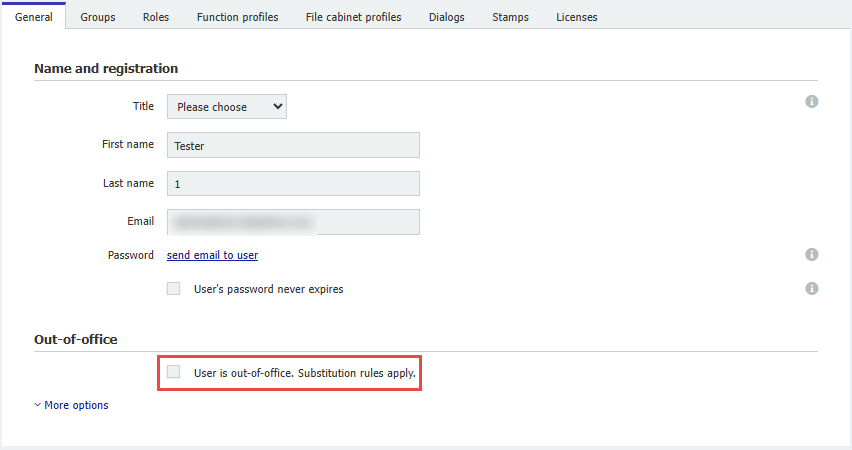
- Configure the dates in which said user will be Out of Office. Then, press Save:
Via DocuWare Administration in Versions 7.13 and below:
Modify Out of Office settings in DocuWare Administration (for any user)
- Log in to DocuWare Administration
- Expand User Administration
- Expand Users
- Select the user for whom you want to modify Out of Office
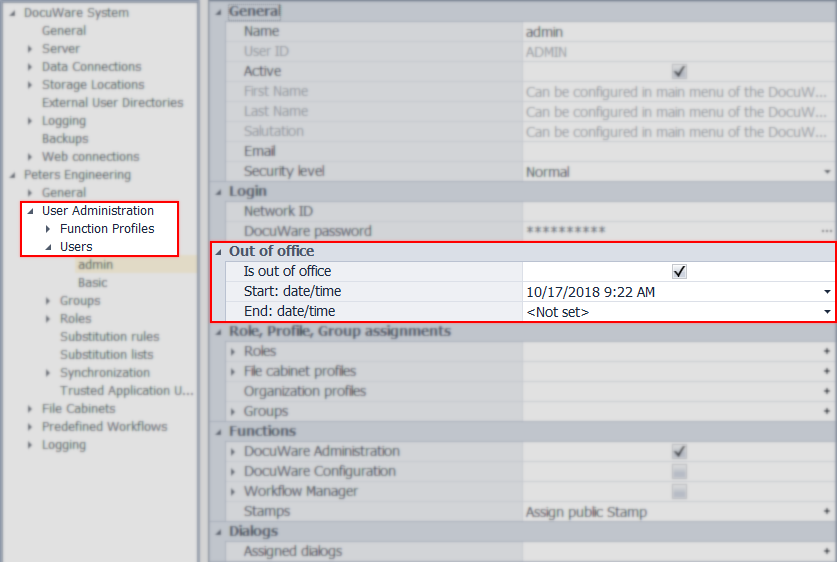
- Check Is out of office
- Choose your date range
- Click on Apply
KBA is applicable to both Cloud and On-premise organizations.