


Question:
How can I identify the name of the machine where the Local Data Connector is installed?
Solution:
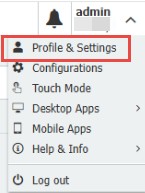
Open Profile & Settings from the dropdown under your username in the top right corner of the web-client, while logged in as the user that is running the Local Data Connector application.
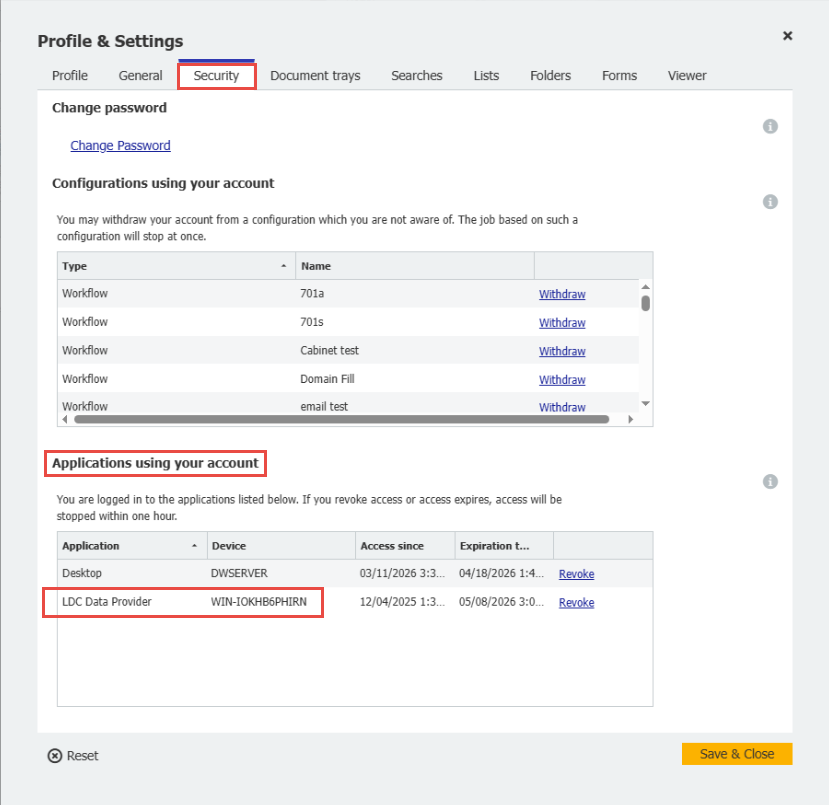
From here, select the Security tab, under Applications using your account, you will find the machine name in the Device column next to the LDC Data Provider application.
KBA is applicable to Cloud organizations ONLY!
Views:
This article is valid for DocuWare versions: All DocuWare Cloud Versions, Local Data Connector