


Behavior:
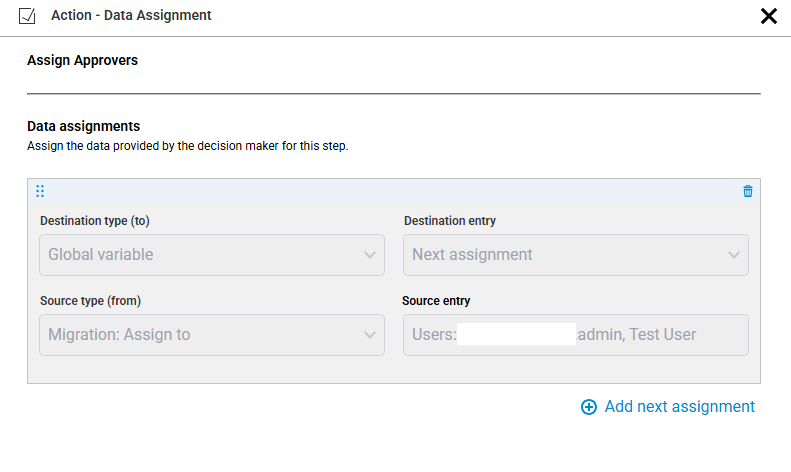
When migrating a workflow from the old DocuWare Workflow Designer to the new web-based Workflow Designer, I notice that the Assign To step is converted to an Assign Data step, with entries that cannot be modified. How can I add or remove users again?
Solution:
By product design, the Assign To activities have been removed in the web-based workflow designer. To accommodate this change, Assign To activities are converted into Assign data activities using a global variable named “Migration: Assign to”. These cannot be modified, but to enable adding or removing users moving forward, please follow these steps.
-
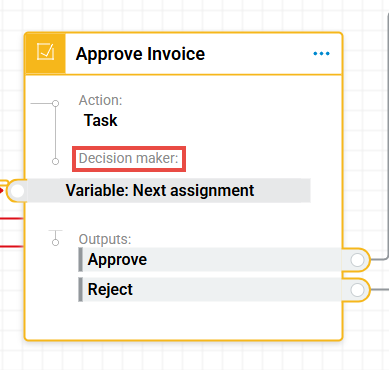
Go to the Task that follows your Assign To activity, then click on the Decision Maker section.
-
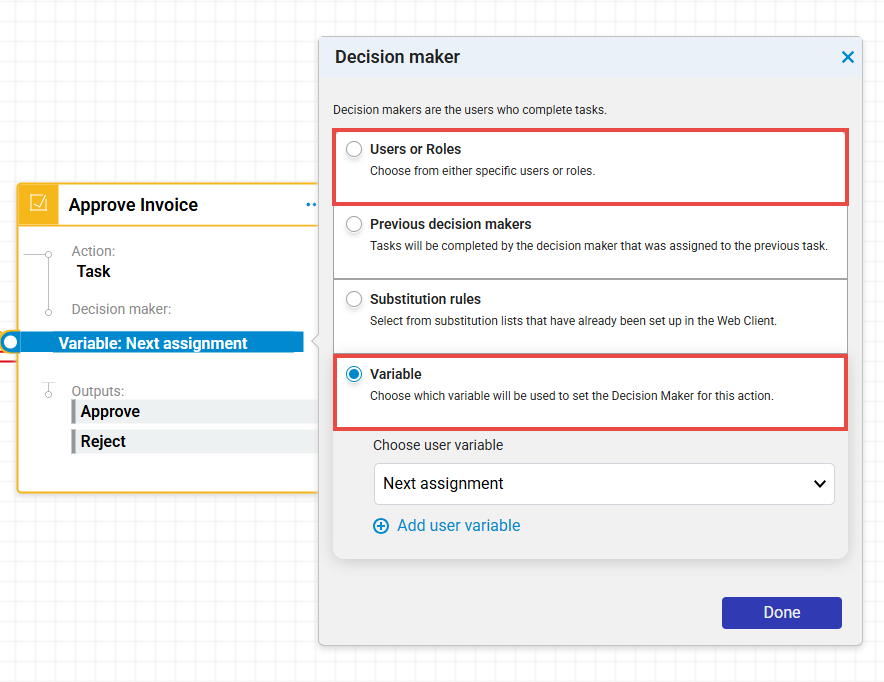
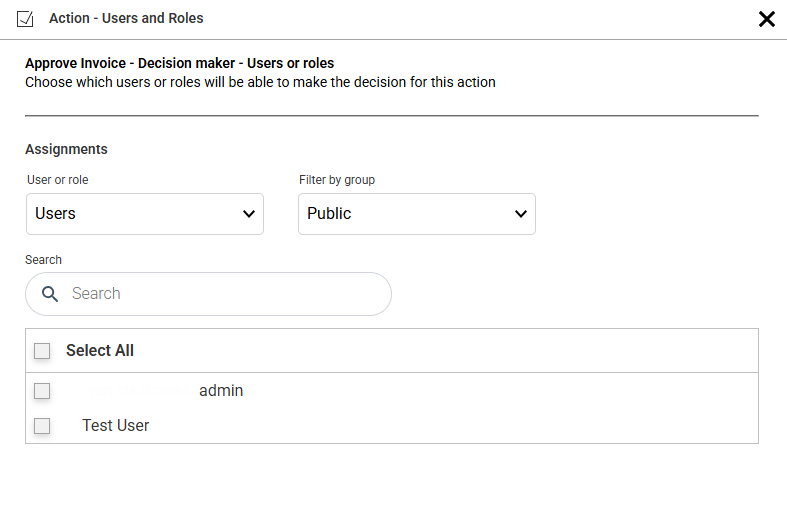
You'll see that Variable is chosen using the Next Assignment variable. Change this decision to Users and Roles, then add the users you had originally assigned.
-
Delete the Assign Data step, as this will no longer be necessary since our Task activity will now have our Decision maker assignments, where we can add or remove users.
KBA applicable for Cloud Organizations ONLY!