


Question:
How can I use workflow designer to determine the number of pages in a document?
Answer:
To determine the number of pages in a document, do the following,
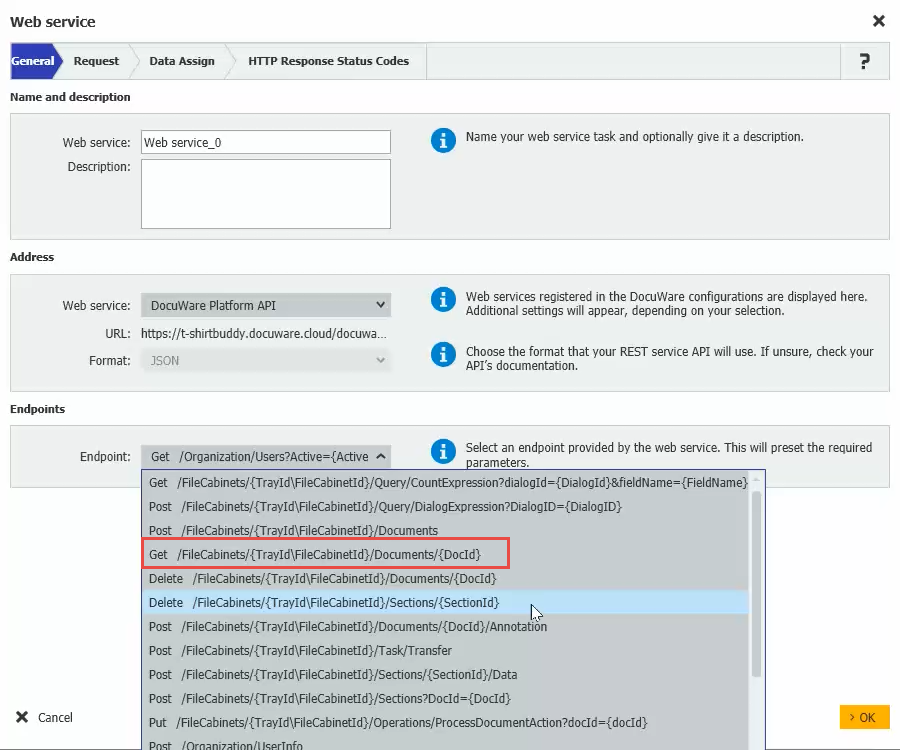
- In your Workflow, add a Web Service activity, then choose DocuWare Platform API.
- Choose Get /FileCabinets/{TrayId\FileCabinetId}/Documents/{DocId} from the Endpoint dropdow.
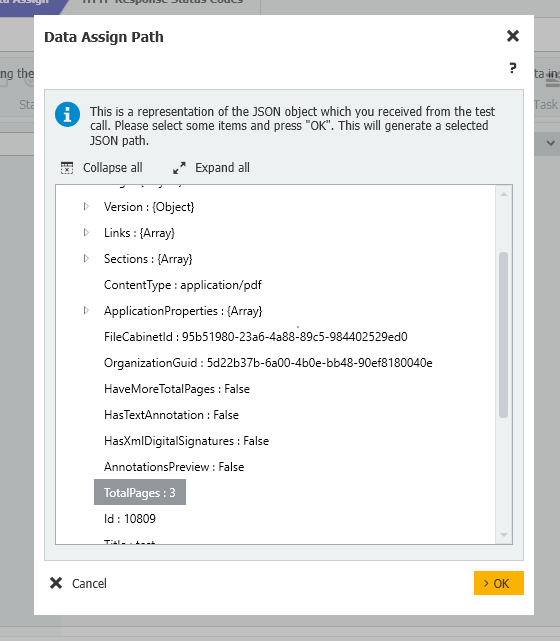
- From the Data Assign tab, add a line choosing the $.TotalPages JSON Path, assigning it either a global variable or an index field.
KBA applicable for both Cloud and On-premise Organizations