


Question:
How do I connect to the DocuWare Desktop Apps via Microsoft Edge?
How do I connect to the DocuWare Desktop Apps via Microsoft Edge?
Answer:
In October of 2025, Google Chrome added a setting that prevents local connections between the browser and local applications. Due to Edge being based off of Chromium technology, these changes also affect Microsoft Edge. If this setting is disabled, the Web Client is not able to reach the local DocuWare Desktop Apps.
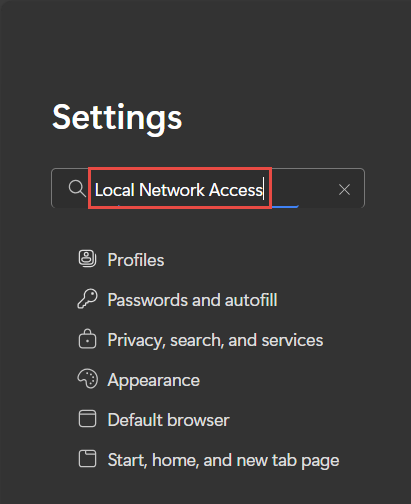
To re-establish the connection, first open the Edge settings page or enter the following into your search bar: “edge://settings.”. Once you are on this page, search for Local Network Access.
Select Local network access, enable Ask before accessing (recommended)
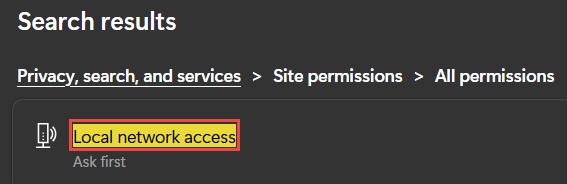

After enabling the setting, refresh your web browser. Once this setting has been enabled, the Web Client should be able to connect to the DocuWare Desktop Apps again.
KBA is applicable to both Cloud and On-premise systems.