


Question:
Where can I find a list of current active connections to DocuWare?
Answer:
In order to find the list of your current active connections in DocuWare versions 7-7.13, please follow the steps outlined below.
- Open DocuWare Administration.

- Click on your organization name, then click the Connections Overview icon.
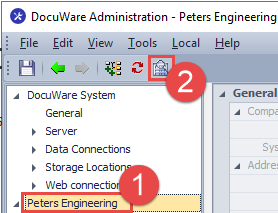
- This will open the Connections Overview, listing all your current active connections.
The Connections Overview shows you:
-
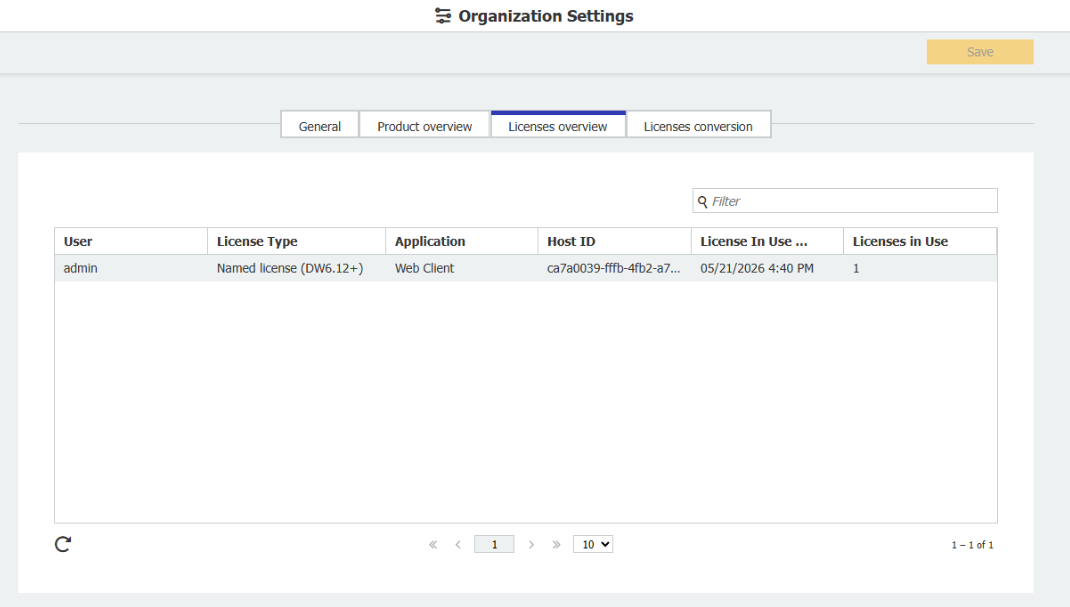
User: Who is logged in.
-
License Type: What license type the user is utilizing.
-
Application: From which application.
-
Network ID: The network ID of the system.
-
License in use until: How long the license will be held.
-
Licenses in use: How many licenses are consumed by this connection.
For DocuWare systems on version 7.14+:
The DocuWare Administration tool has been retired. In order to find a list of active connections, follow the steps outlined below.
- From the DocuWare configurations page, click on the Organization Settings plugin.
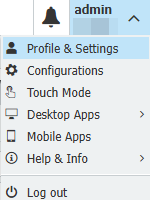
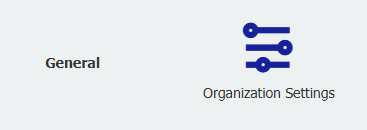
- Click on the Licenses overview tab to view all licenses assigned to your system. License overview provides the same information as the Connection Overview from DocuWare Administration.
KBA is applicable to both Cloud and On-premise organizations.