


Question:
How can we convert Named Licenses to Concurrent Licenses in DocuWare versions 7.14 and newer?
Solution:
Please refer to the following guide to convert Named Licenses to Concurrent Licenses:
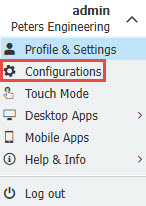
1. Open your DocuWare web client and select Configurations under the dropdown of your username.
2. Open the Organization Settings plugin and select the Licenses conversion tab.


3. Under Convert named user licenses to concurrent licenses, tick the up arrow to select how many Named User Licenses to convert
to Concurrent licenses. After determining how many licenses to convert, select the Convert button.
NOTE: Four named User licenses are required to create one concurrent license.
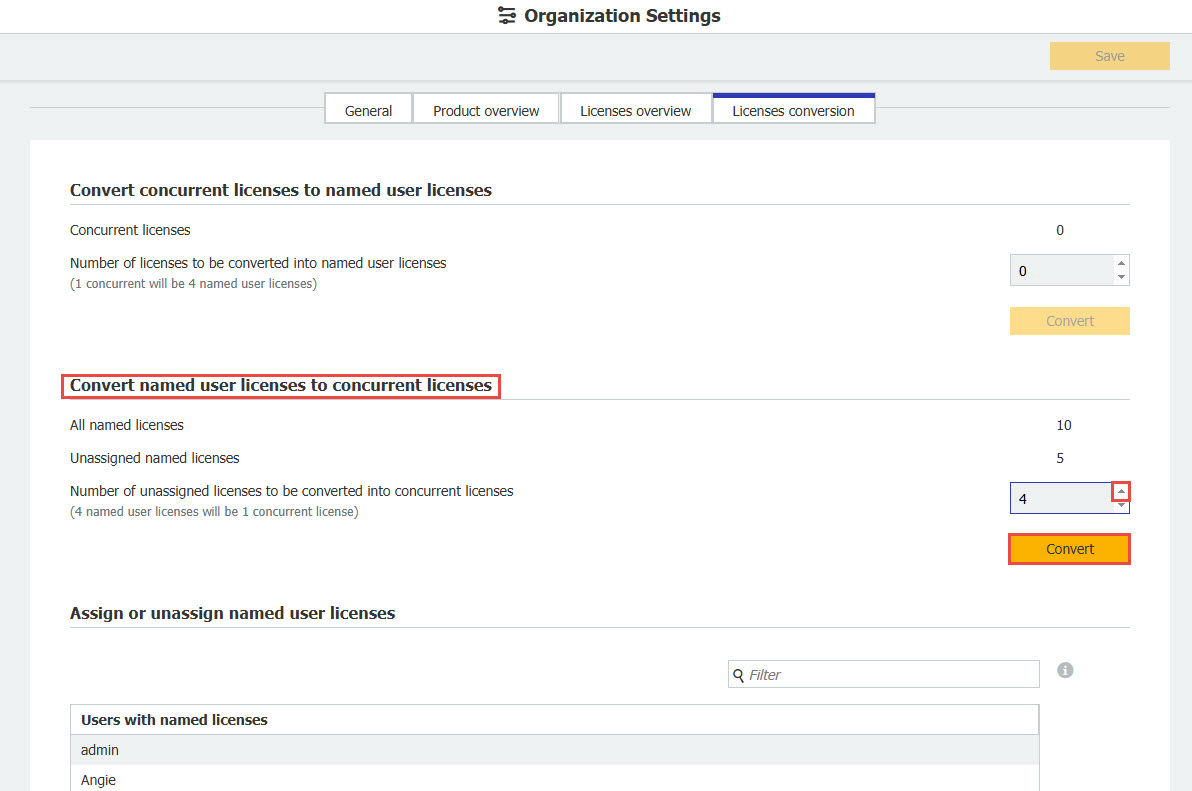
4. After you have converted the licenses, click save in the Upper right hand corner and your licenses will offically be converted.
KBA applicable to On-Premise Organizations ONLY!