


Important Note: The move of a DocuWare system to a new server or the move of components of a DocuWare system, as well as problems resulting from the move of the system from one server to another, are therefore not part of our Support Services. If you require support or assistance from DocuWare Support, we can offer this on a time-and-materials basis only. It is recommended that you contact our Professional Services department before attempting to move your MySQL data by sending an email to professional.services.emea@docuware.com or professional.services.americas@docuware.com
Scenario:
After utilizing a large amount of space on a drive, you need to move your MySQL data to a new location with allocated space.
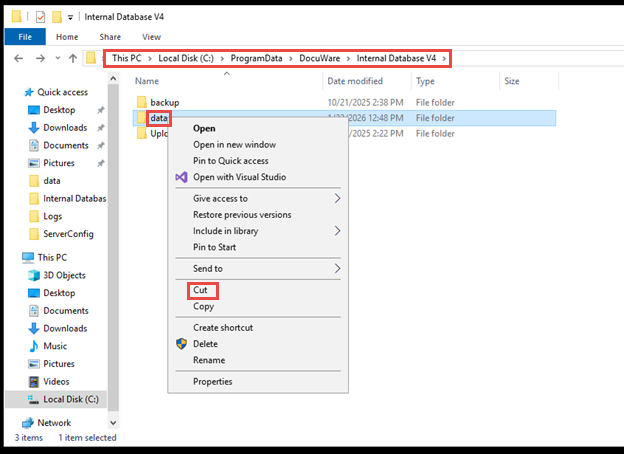
(The default installation paths are, C:\Program files (x86)\Docuware\Internal Database, C:\Program files (x86)\Docuware\Internal Database V2, C:\ProgramData\Docuware\Internal Database V3, C:\ProgramData\Docuware\Internal Database V4 depending on your database version).
Solution:
Please do the following to move MySQL data to new location;
**Before performing this, make sure to have Database backups!**
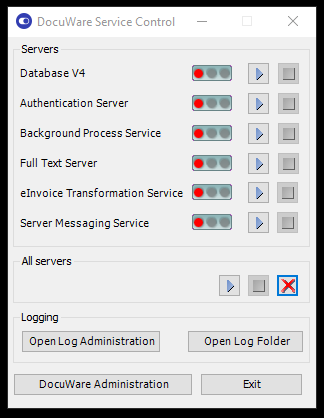
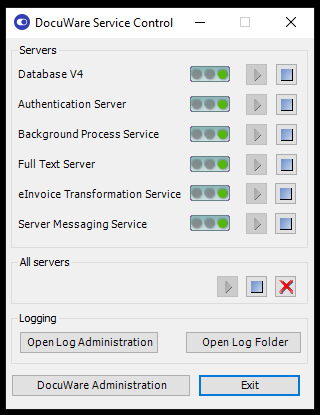
1. Stop all of the DocuWare Services.
2. Cut the data folder, usually found in the following paths C:\Program file (x86)\Docuware\Internal Database, C:\Program files (x86)\Docuware\Internal Database V2, C:\ProgramData\Docuware\Internal Database V3, C:\ProgramData\Docuware\Internal Database V4.
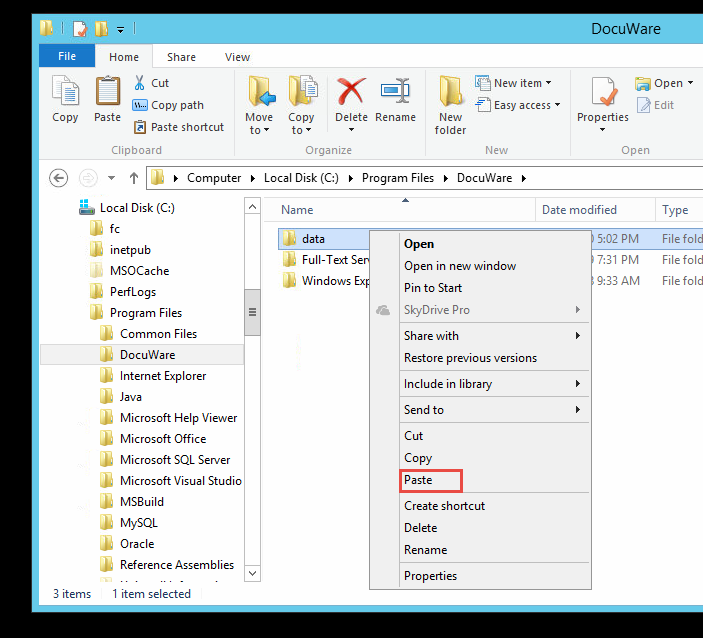
3. Paste the folder into the desired location.
3. Navigate back to the path where you pulled the data folder from and locate the "my.ini" file.
***NOTE: Make a copy of the my.ini file, save it onto your desktop.***
4. Open the file, and use CTRL+F to search for "datadir".
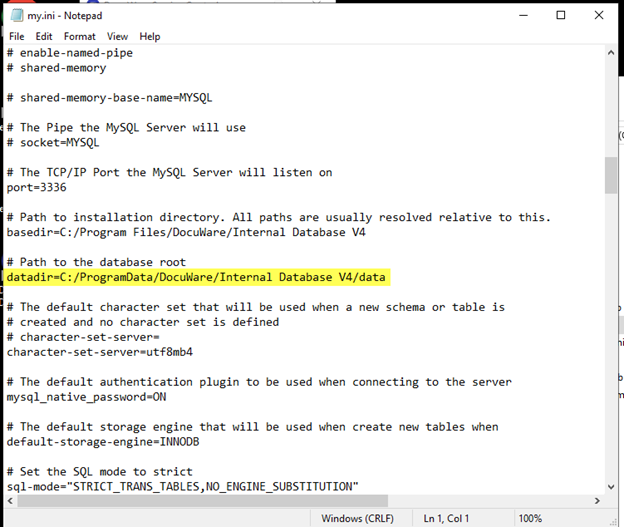
5. Replace this path with the new location of the data folder.
6. Start all of the DocuWare Services.
KBA applicable for On-premise Organizations ONLY.