


Question:
Are there timeout settings for Web Services that can be configured in a workflow?
Answer:
By product design, DocuWare offers Timeout settings for REST-based Web Services only.
To access these Timeout settings in the Workflow Designer Desktop App, click the HTTP Response Status Codes tab within the Web Service activity. If you are using the web-based Workflow Designer, click Status codes. Then, in the Timeout section at the bottom of the page, the maximum value can be set to 60 seconds. If left blank, 30 seconds will be the default.
Workflow Designer (Desktop App)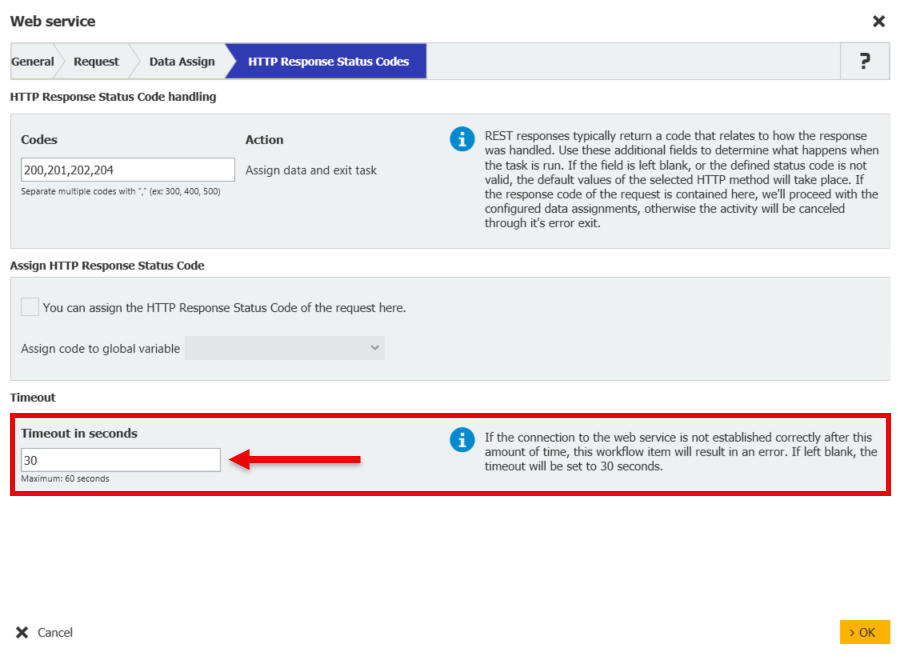
Workflow Designer (Web-based)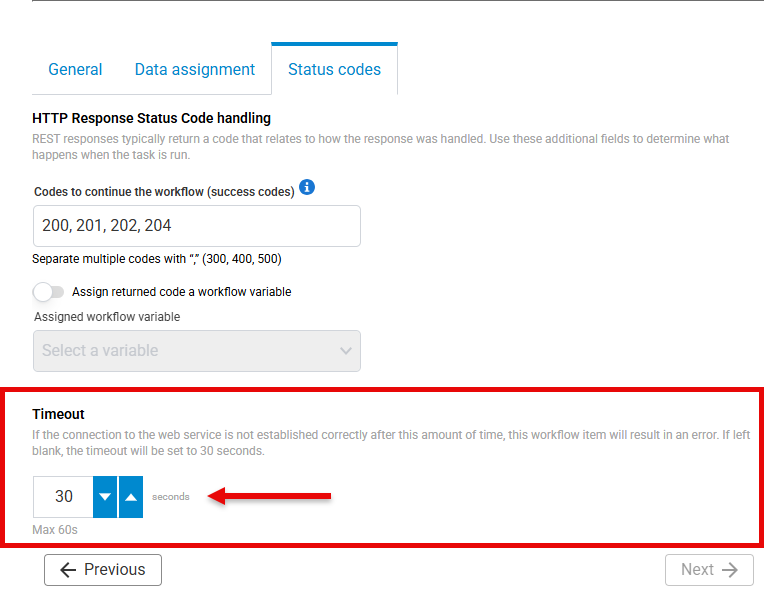
KBA is applicable for both Cloud and On-premise Organizations.