


Question:
How do I increase the maximum number of results when using a Multi-File Cabinet search in DocuWare versions 7.11 or higher?
Answer:
By product design starting in DocuWare version 7.11, changes were implemented in the Platform Service Configuration files. As a result of this change, please refer to the following guide on how this value can be modified:
1. For DocuWare systems on DocuWare 7.11+, navigate to C:\Program Files\DocuWare\Web\Platform and open the file DocuWare.Platform.Web.dll.config
Note: Please make a copy of the DocuWare.Platform.Web.dll.config file for backup purposes.
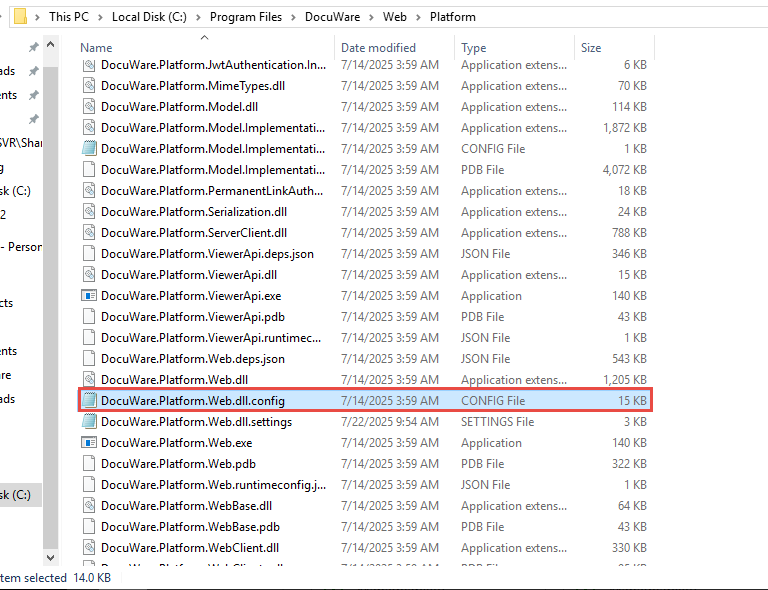
2. Find the first <PlatformSettings> tag and locate MultipleFcSearchLimit within the settings file.
3. This value is set to 1,000 by default, but you can increase this value to the maximum amount of results by modifying the 1,000 default limit to your desired one.
4. Save the file, refresh your browser, and your multi-file cabinet searches will now return with your desired number of results.
KBA is applicable to On-premise Organizations ONLY!