


Domanda:
Come posso aggiornare la password di un conto che esegue un flusso di lavoro?
Risposta:
Per aggiornare la password, procedere come segue:
Come posso aggiornare la password di un conto che esegue un flusso di lavoro?
Risposta:
Per aggiornare la password, procedere come segue:
- Aprire lo strumento DocuWare Workflow Designer come utente DocuWare con accesso al flusso di lavoro.
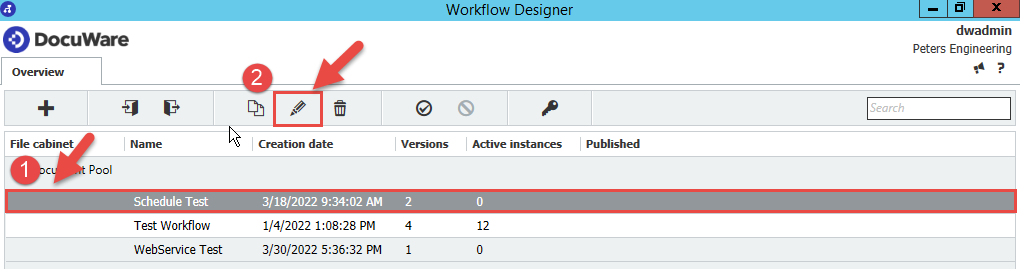
- Selezionare il flusso di lavoro di cui si desidera aggiornare la password, quindi premere l’icona a forma di matita
 .
.
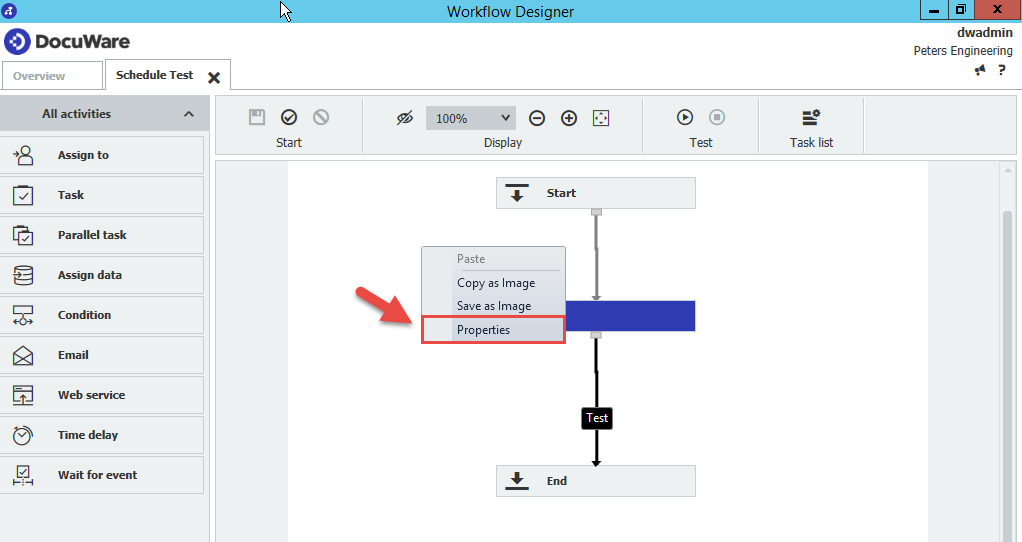
- Dal Designer, fare clic con il tasto destro del mouse su un'area vuota, quindi selezionare "Proprietà"
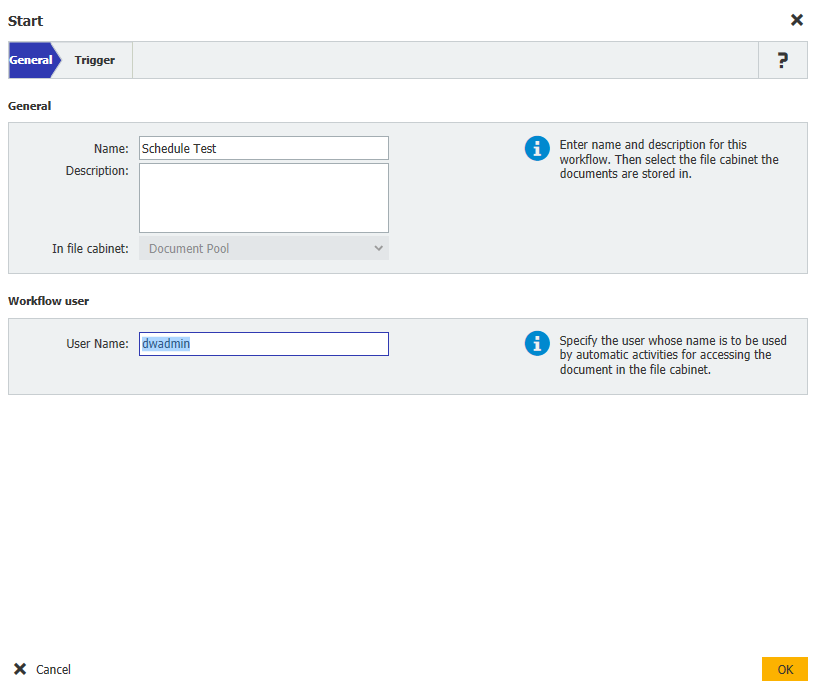
- Deselezionare la casella“Nome utente”, quindi premere OK.
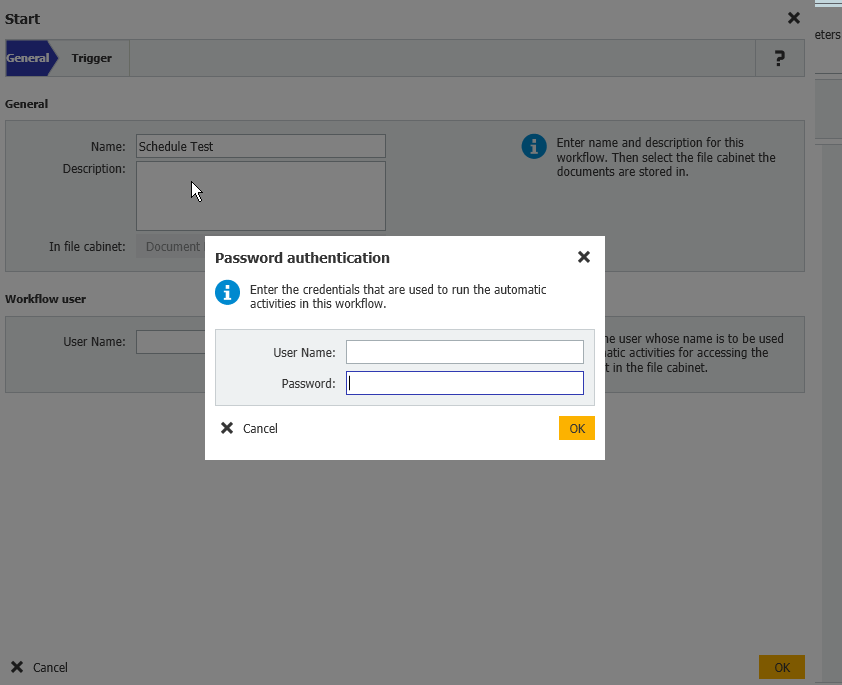
- Una volta completata l'operazione, ti verrà richiesto di inserire il nome utente e la password.
Per le versioni di DocuWare 7.13 e successive:
Dopo aver selezionato "Proprietà", seleziona "Autentica nuovo utente".
Verrai quindi reindirizzato al tuo browser web per inserire il nome utente e la password.
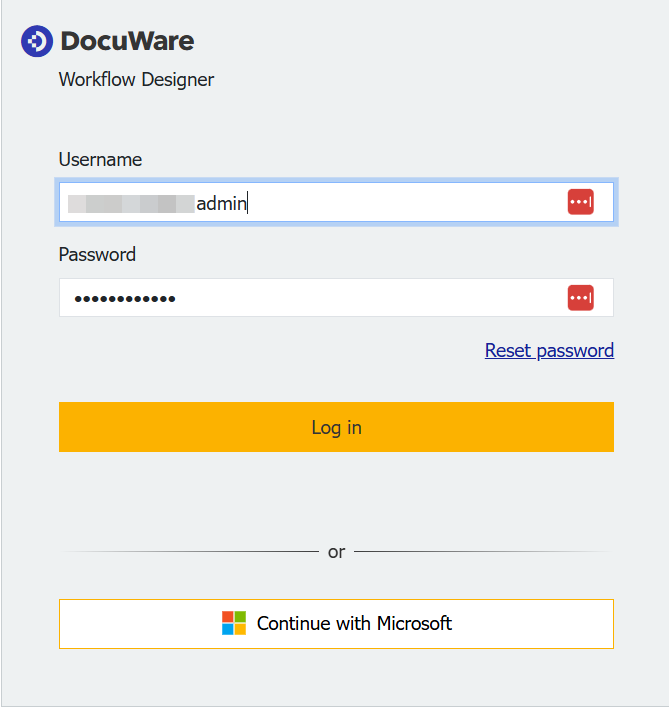
- Una volta inseriti, le modifiche hanno effetto immediato. Non è necessario salvare e ripubblicare nuovamente il flusso di lavoro.
Questo articolo KBA è valido sia per le organizzazioni Cloud che per quelle on-premise.
Si prega di notare: Questo articolo è una traduzione dall'inglese. Le informazioni contenute in questo articolo si basano sulla versione originale in inglese del/i prodotto/i. Potrebbero esserci piccoli errori, ad esempio nella grammatica utilizzata nella versione tradotta dei nostri articoli. Sebbene non possiamo garantire la completa accuratezza della traduzione, nella maggior parte dei casi la troverete sufficientemente informativa. In caso di dubbi, si prega di fare riferimento alla versione inglese di questo articolo.