


Question:
How to restart IIS correctly?
Solution:
After a change to a DocuWare Web instance, the IIS (Internet Information Services) must be restarted. You receive a message informing you of this.
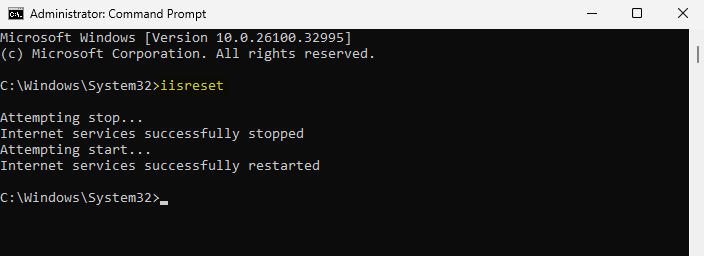
To restart IIS via Windows:
- Open the Windows Command Prompt and enter iisreset
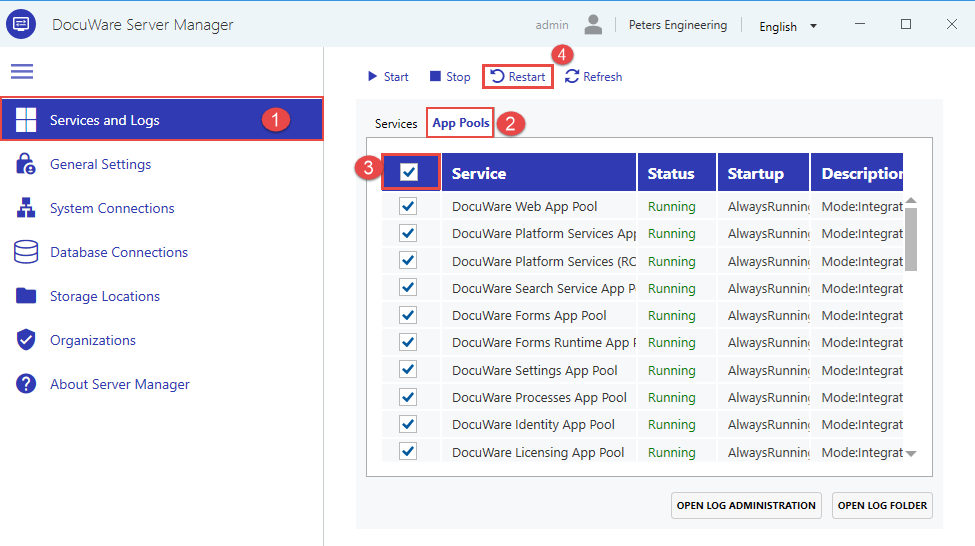
To restart IIS via DocuWare (DocuWare versions 7.13 and up):
- Open DocuWare Server Manager > Services and Logs > App Pools > click the top box > Restart
KBA is applicable to both Cloud & On-premise Organizations