


Question:
Why can't I use the right-click (context menu) function in DocuWare on an iPad in any browser?
Solution:
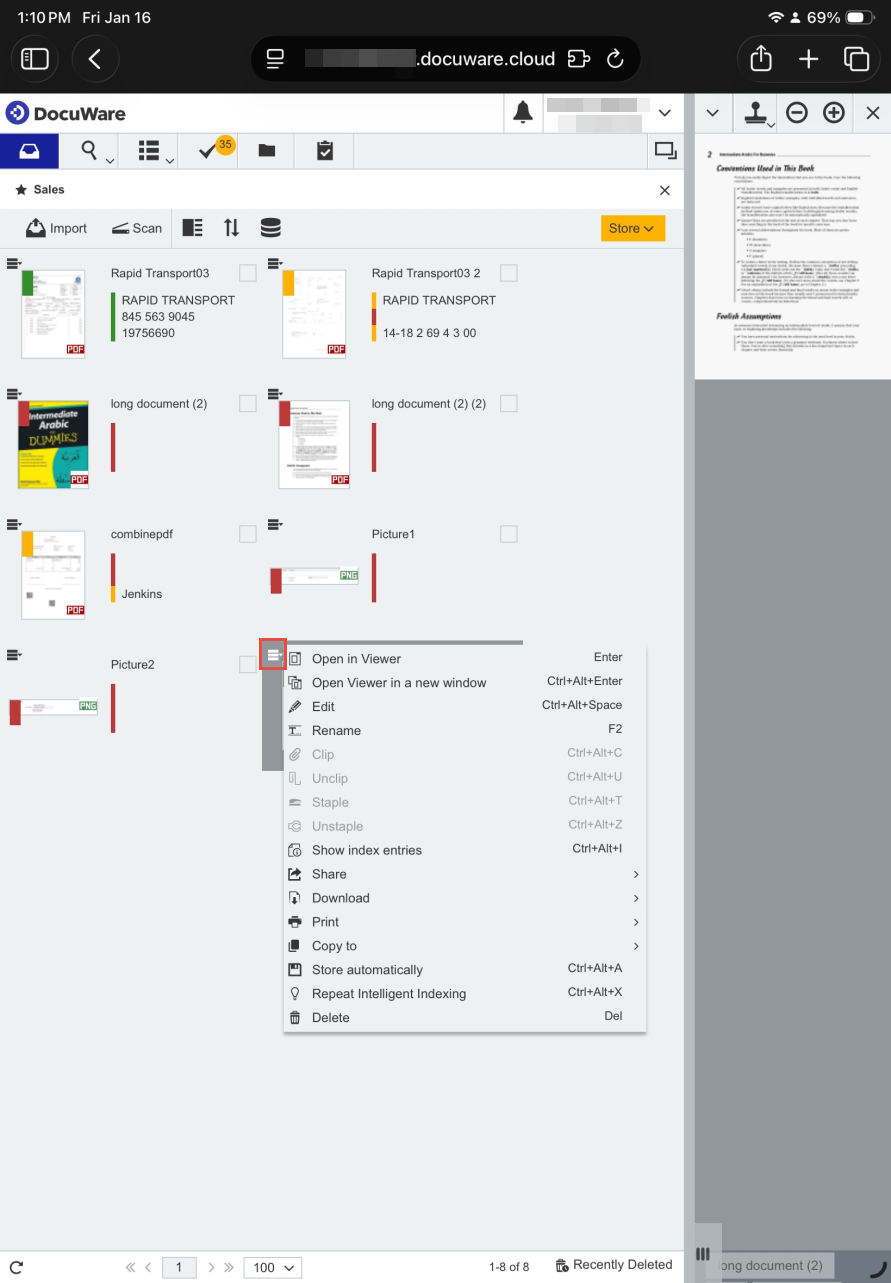
To access the context menu of your DocuWare organization on iPad, you must switch to Thumbnail view. In this view, each file displays a small box icon in the top-left corner; tapping it opens the context menu for that selected file.
Alternatively, you can connect a Bluetooth mouse to your iPad. Using the right-click feature on the mouse will allow you to access the right-click (context menu) as you would on a desktop.
KBA is applicable to both Cloud and On-Premises Organizations.