


Question:
As a partner, we have a customer whose system we need to access to start configuring workflows. What is the process to do this?
Answer:
To begin managing your customers for IDP, please complete the following steps.
-
Login to DocuWare IDP at https://platform.us.natif.ai/api-hub with your Realm Coordinator account. This will take you to your Realm.
NOTE: If you do not have a Realm Coordinator account, you will need to ask a Realm Coordinator to have one created.
-
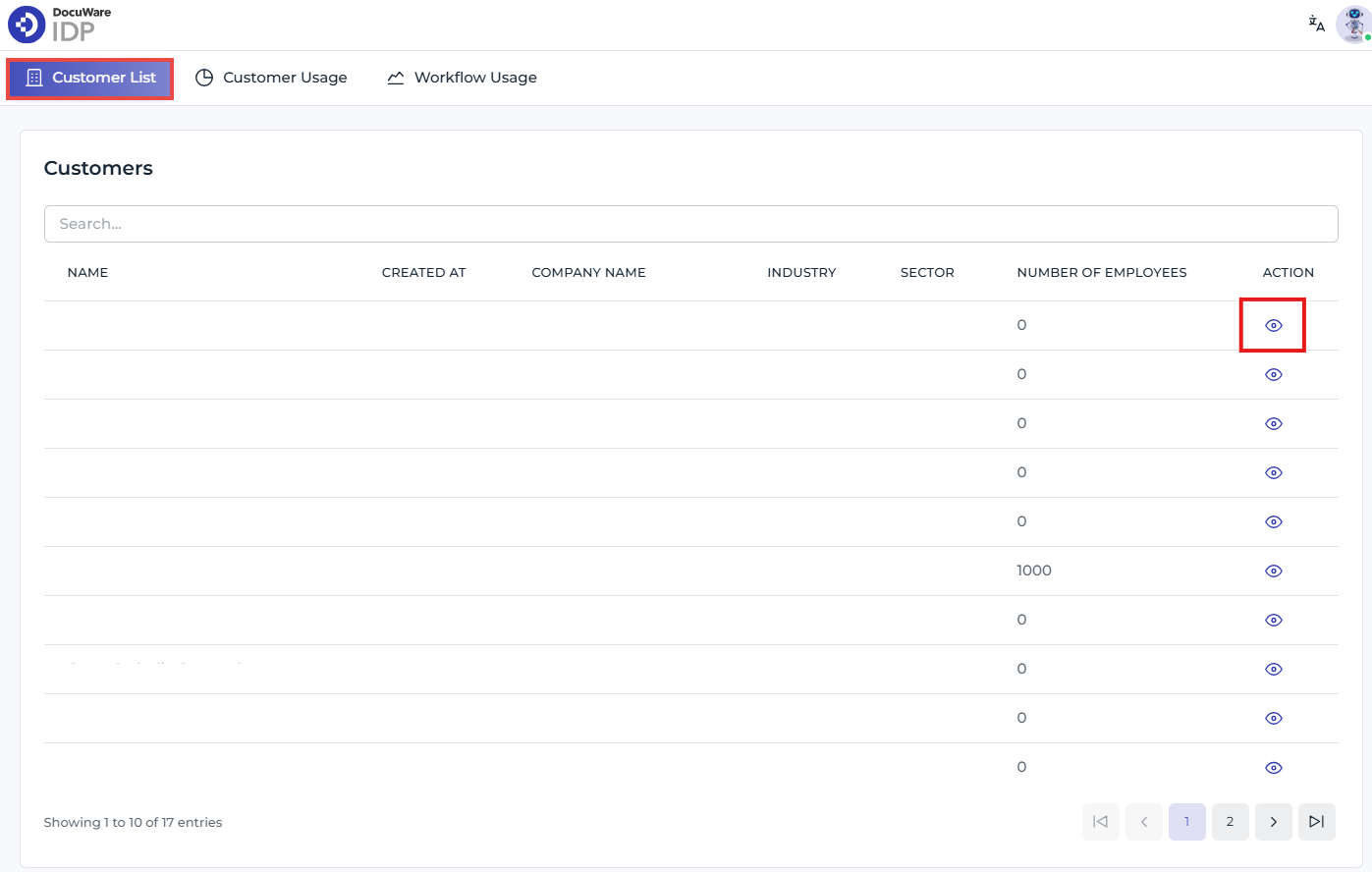
Go to your Customer List, find the customer you need access to, then click on the eye icon in the Action column.
-
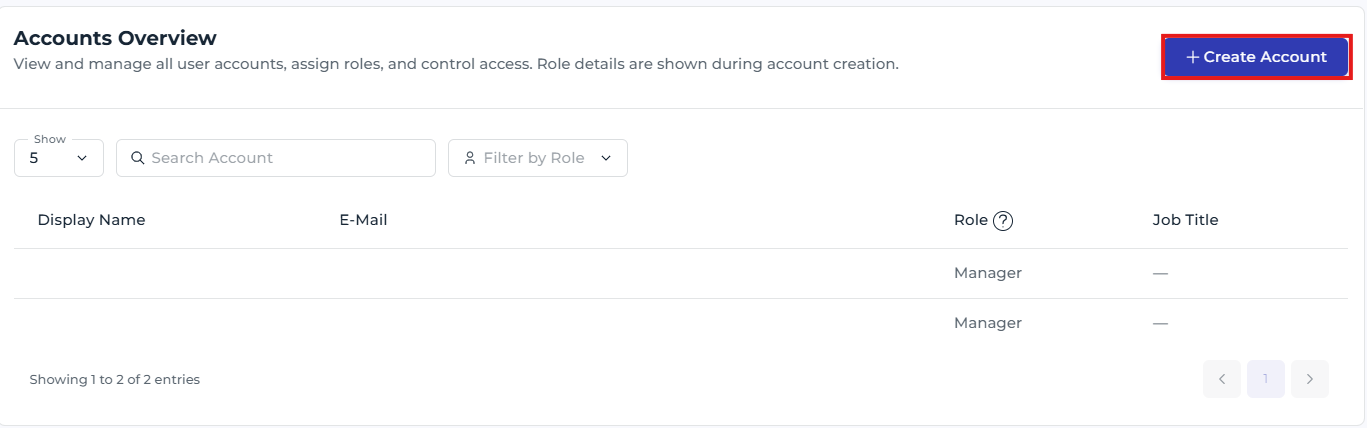
Scroll to the bottom of the page until you reach Accounts Overview, then click on Create Account.
-
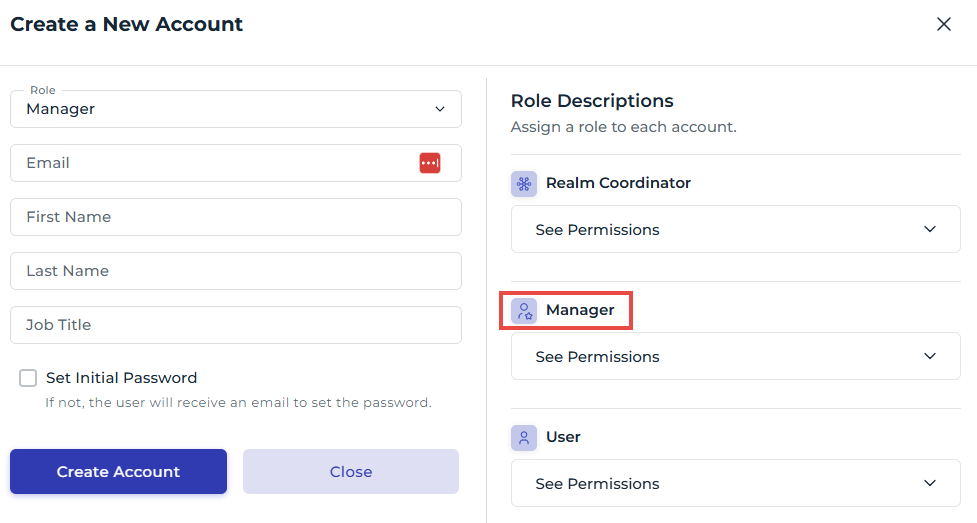
Fill out all information, and ensure you choose the Manager Role. When entering your email address, use an alias by adding a + character followed by a value to help differentiate what the account is used for. This could be the customer's name, for example.
JonDoe@Test.com will be JonDoe+PetersEngineering@Test.com
-
Once the account has been created, log out, then login with the credentials for the account you just created.
-
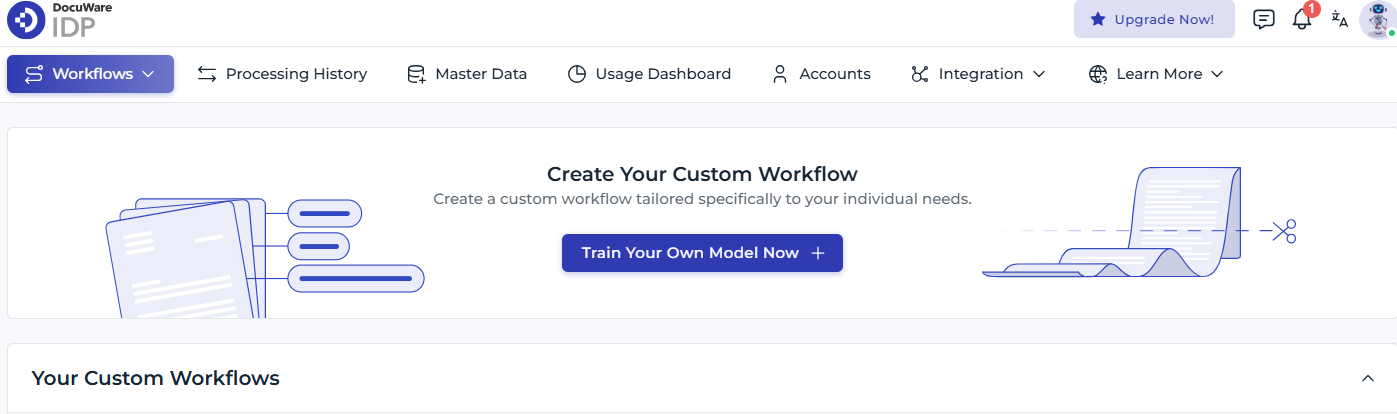
You'll now have access to the organization, where you can create workflows for the customer.
KBA applicable for Cloud organizations ONLY!