


How can I create a Document Tray location in DocuWare 7.14+?
Please refer to the following guide to create a Document Tray location:
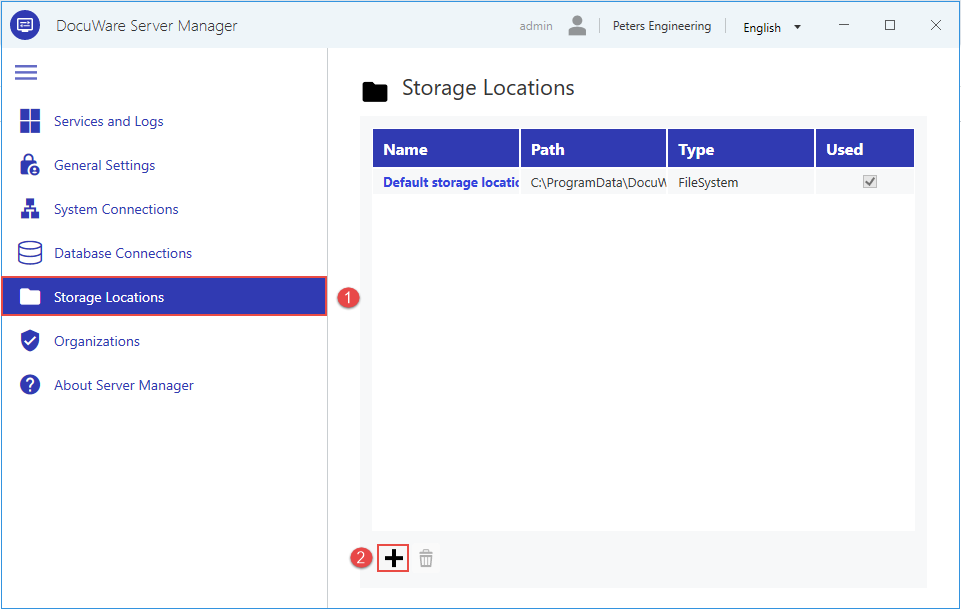
Open DocuWare Server Manager, go to Storage Locations, then click the "+" button:
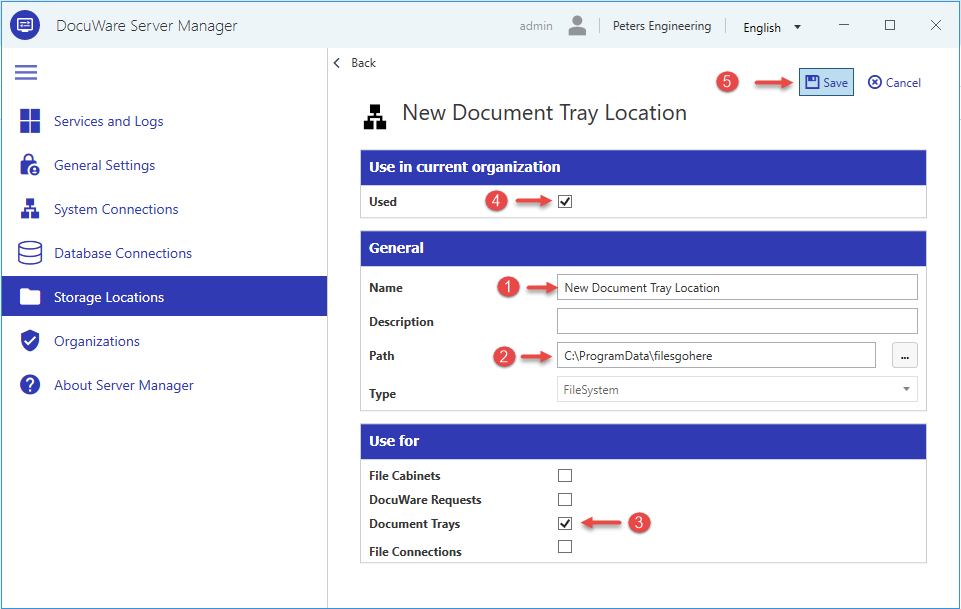
Give this connection a Name > Paste your desired file location Path > Check Document Trays > Check the Used box >click Save:
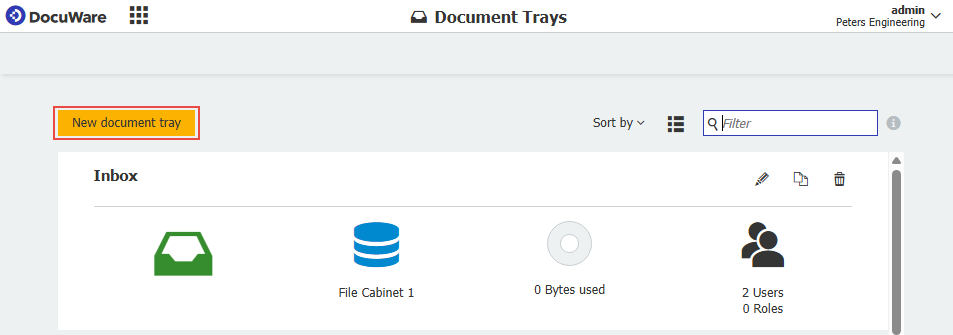
Open the DocuWare Configurations page and click Document Trays, then click New document tray:

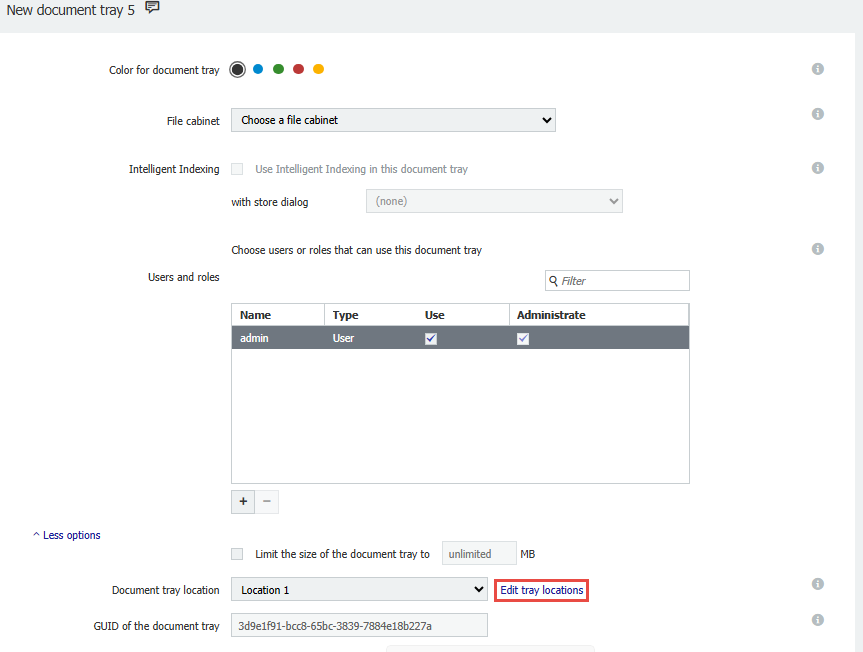
Fill in the desired values for your tray, such as Name, File cabinet, Intelligent Indexing, and Users/Roles. Once this is complete, click Edit tray locations:
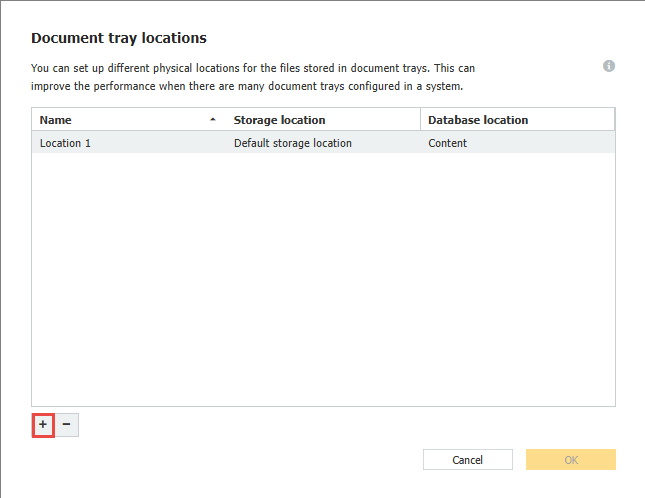
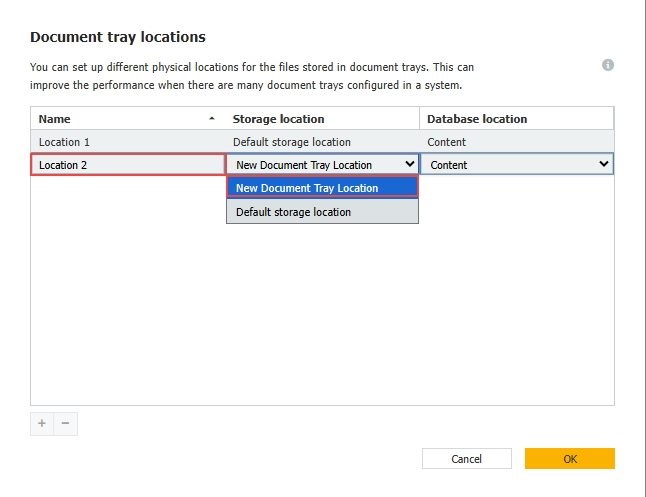
Click the "+" button, name your location, then clock the dropdown and select the name of the storage location specified in step 2, then click OK. Following this, click "Save":
The new document tray and storage location have been successfully implemented.
KBA is applicable to On-premise Organizations ONLY!