


Behavior:
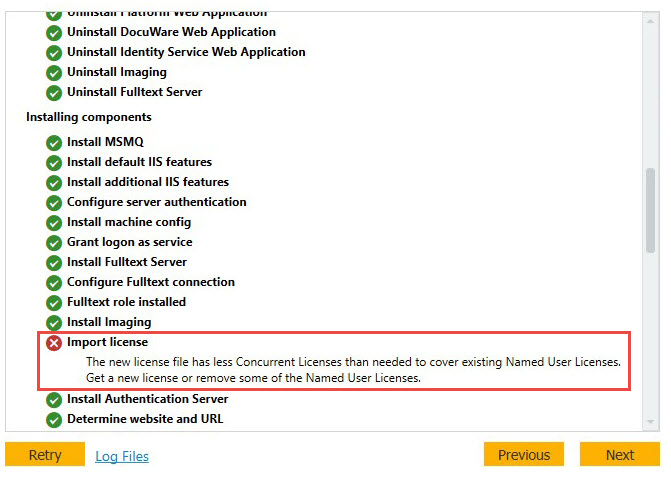
When updating your DocuWare system, you encounter the following error when you reach the import license step:
Import license: The new license file has less Concurrent Licenses than needed to cover existing Named User Licenses. Get a new license or remove some of the Named User Licenses.
Solution:
When this error occurs, it is caused by a discrepancy between the number of licenses your system currently has, and the number of licenses being imported within the new license file.
For example, if you already have 30 Named Licenses, but reduced the amounf to 20 licenses, when you attempt to run the update using the new license, this error will occur. This is because there are 10 too many Named Licenses that are assigned. To resolve this error, you will need to remove enough Named Licenses to make up for the difference, then run the update again.
For instructions on how to convert Named Licenses to Concurrent Licenses for DocuWare versions 7 through 7.13, please refer to the following article: KBA-36714
For instructions on how to convert Named Licenses to Concurrent Licenses for DocuWare versions 7.14 and higher, please refer to the following article: KBA-38139
KBA applicable for On-premise organizations ONLY!