


Behavior:
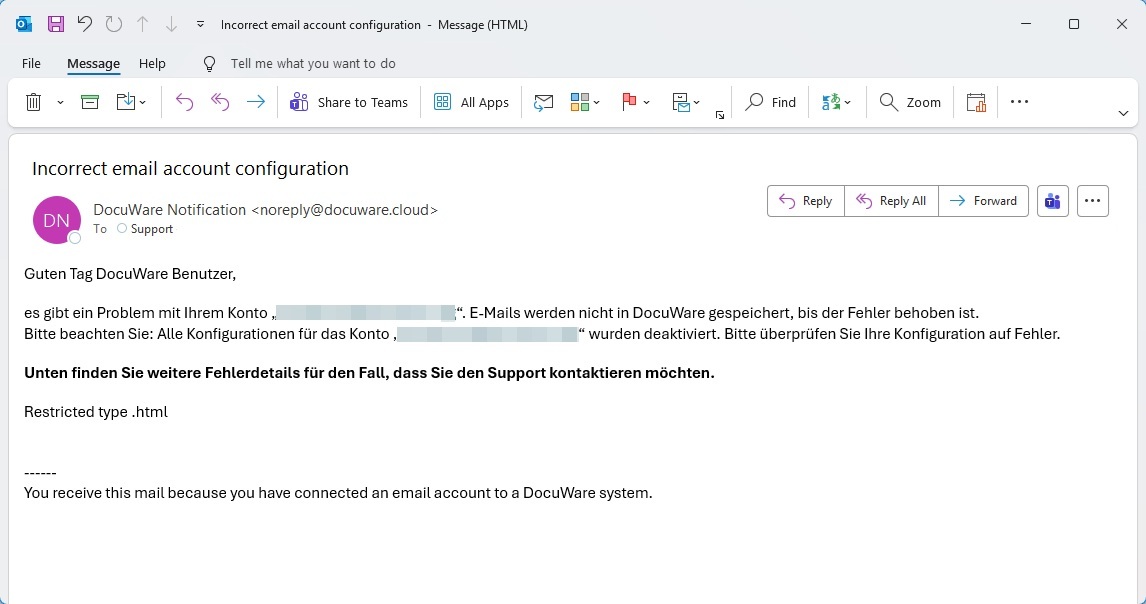
I received an email from the DocuWare system that says:
Incorrect email account configuration.
All configurations for the account have been deactivated.Error: Restricted type .html
Solution:
If the Connect to Mail configurations are regularly deactivated and you receive an email from the system stating that this is due to the error message "Restricted type .html", this is due to a security setting that prohibits the storage of HTML files.
Go to the DocuWare configuration under Security → Restricted file types → Security-related files. Please remove the html entry from the list.
Then activate the "Exclude" option in the affected Connect to Mail storage configuration and enter html so that these files are not stored as separate attachments in DocuWare.
This behaviour often occurs with .zip files as well. However, you will not find this extension in the Security-related files, but in the technical files.
KBA is applicable to both Cloud and On-premise systems.